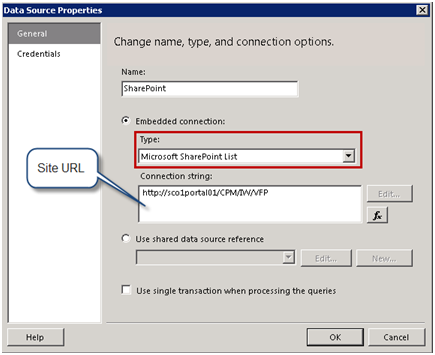
R2 brings several SharePoint enhancements, including: Support for multiple SharePoint zones – Previously, SSRS supported access from SharePoint URLs in the default zone, as I explained before. Support for the SharePoint Universal Logging service - Reporting Services introduced a new server interface called IRSSetUserToken. When this interface is implemented, the report server calls the UserToken Set property on this interface and passes the SharePoint user…
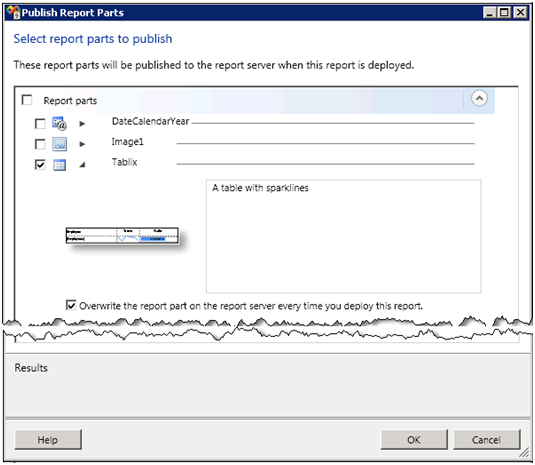
The major new R2 feature that debuts in CTP 3 (November CTP) of SQL Server 2008 R2 Reporting Services is report parts. A report part is a fragment of a report definition that you can publish to the report server to facilitate best practices and reuse. Just like a developer can refactor and share some piece of code, the report author can re-factor a portion…
Microsoft released Cumulative Update Package 5 for SQL Server 2008 Service Pack 1 (build 10.00.2746). Among other things, if fixes an SSRS issue with printing and conditional visibility of recursive groups which I reported.
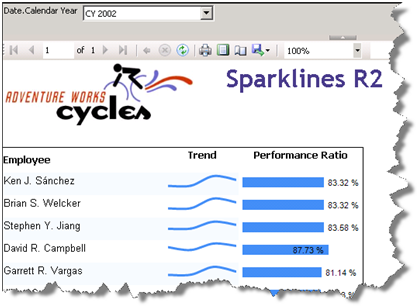
Besides indicators, R2 adds sparklines and data bars to the arsenal of data visualization features. Sparklines are small graphics embedded in a context of words, numbers, and images. They help end users visualize simple trends. You could implement sparklines and simple data bars in the previous versions of Reporting Services but you had to go through many steps to strip down the chart or gauge…
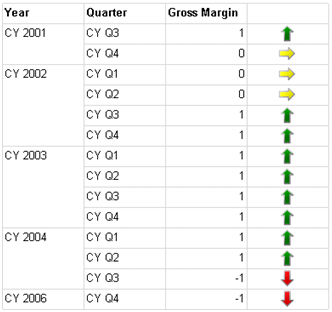
Often, reports need to show images that represent discrete values, such as an image that shows a KPI status. Previously, you didn't have another option but to use images that are dynamically changed based on the field value. Indicators, a new R2 feature, make this much simpler. In Reporting Services, an indicator is a simplified gauge region that lets you associate images with states. Although…
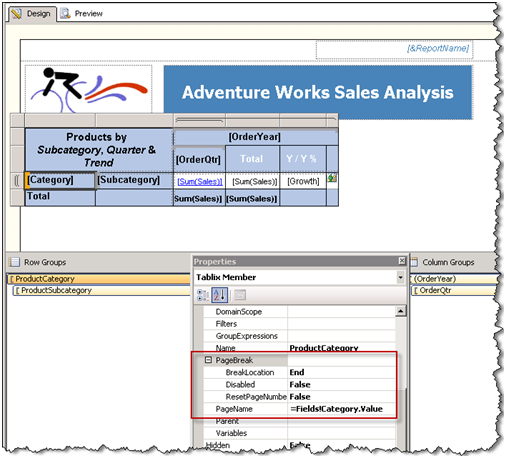
R2 brings more control over pagination and rendering. A question that pops every now and then on the discussion list is how to name Excel worksheets for each instance of a row group. This scenario wasn't supported before R2. In R2, there are addition page break options, as shown in the screenshot below. One of them is PageName. In this case, I set the PageName…
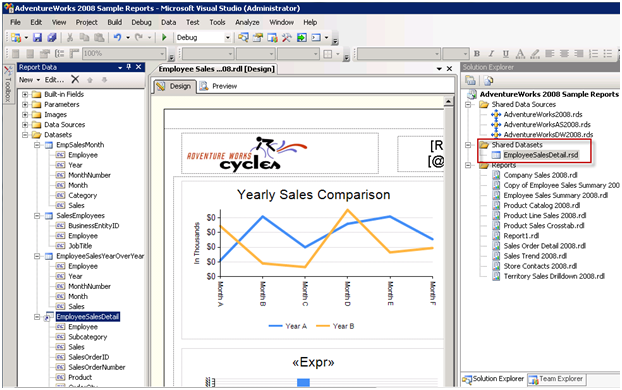
When the Reporting Service team asked my opinion about shared datasets, a new feature in the forthcoming SQL Server Reporting Services R2, I was somewhat skeptical. I preferred them to focus on more important in my mind features, such as the ability to join datasets at report level. But the more I look at the way shared datasets got implemented, the more real-life scenarios I…
An interesting issue popped up yesterday regarding the calculated member syntax. I had to multiply negative amounts in a financial cube for certain account categories that had negative amounts. The cube also had a Many:Many relationship between financial accounts and account groups which may be related to the issue. So, I had the following scope assignment: CREATE MEMBER CURRENTCUBE.[Multiplier] /* Old Style*/ AS [Financial Account].[Financial…
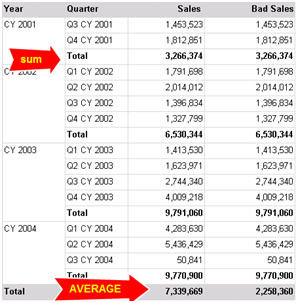
Aggregates of aggregates is a new feature in SQL Server R2 Reporting Services. It can be better understood by the sample Aggregates.rdl report ([View:https://prologika.com/CS/cfs-file.ashx/__key/CommunityServer.Blogs.Components.WeblogFiles/blog/2474.aggregates.rdl]). It shows sales grouped by year and quarter. The Year group subtotals use the Sum aggregation function to sum the quarter sales. The report footer total averages the year subtotals. Prior to R2, authoring such a report would require dividing the…
Readers have been asking about a revised edition of my Applied Microsoft Analysis Services book for version 2008. First of all, I'd like to thank all my readers who bought and liked the book. This book has been a great success and it really exceeded my expectations in any way! It has great reviews on Amazon and it has sold over 10,000 copies to date,…