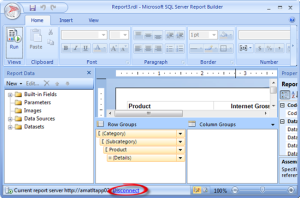
Issue: Previewing a Report Builder report connected to Analysis Services works in Report Designer but it fails in Report Builder 3.0 with the following error: An existing connection was forcibly closed by the remote host ---------------------------- Unable to read data from the transport connection: An existing connection was forcibly closed by the remote host. ---------------------------- Further, SQL Profiler reveals that an Anonymous connection is attempted…
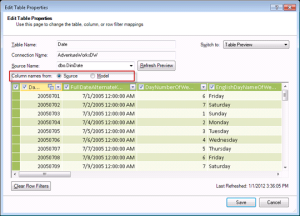
Question: How do I find the source column name in PowerPivot if I've renamed and moved columns around? Answer: Assuming that the table doesn't use a custom query to import data or it wasn't derived from an Excel linked table or Windows Clipboard, you can use the table properties to find the source column name as follows: In the PowerPivot Window, click the table to…
Apparently, the name "VertiPaq" wasn't catchy enough so Microsoft rebranded it as xVelocity (probably got tipped by Comcast). This is just a name change, no new features. Glossary xVelocity: The SQL Server family of technologies that utilize in-memory columnar storage to achieve very high-performance in query processing. 1. xVelocity for Business Intelligence Introduced as VertiPaq in the SQL Server 2008 R2 release, this in-memory columnar…
Fellow MVPs have just released the latest public beta build of BIDS Helper, which should one of the first utilities you install after you install SQL Server on your machine. Besides fixes and updates, this release adds support for SQL Server 2012 and new features specific to Analysis Services Tabular. This beta release is the first to support SQL Server 2012 (in addition to SQL…
To continue my Report Server Settings in SQL Server 2012 SharePoint Integration Mode blog, here is another example of how to use the new PowerShell-based configuration mechanism to hide a rendering extension. In this case, the script finds an SSRS application called SQL Server SSRS (replace with the name of your SSRS application from SharePoint Central Admin) and hides the XML renderer so the XML…
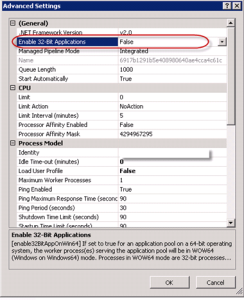
I upgraded SQL Server 2012 from RC0 to RTM today on a SharePoint application server which was configured for Reporting Services integration. The upgrade went with no errors but I got this error when requesting reports: The requested service, 'http://amatltapp02:32843/1dacf49a2f7a4a6daa8db5768539893f/ReportingWebService.svc' could not be activated. See the server's diagnostic trace logs for more information. The requested service, 'http://amatltapp02:32843/1dacf49a2f7a4a6daa8db5768539893f/ReportingWebService.svc' could not be activated. See the server's diagnostic…
I've been honored to be selected by Microsoft to present the Self-service BI using PowerPivot and Power View session for the SQL Server Special Ops Tour in Atlanta on Monday, March 5th. EVENT AGENDA Agenda Speaker 12:30pm – 1:30pm Registration Opens 1:30pm – 2:30pm SQL Server 2012 – The New World of Data Dandy Weyn – FTE – Sr. Tech Prod Mgr 2:30pm – 3:15pm…
SharePoint is a like an ocean – the further you go, the deeper it gets Ancient proverb Scenario: Configure SQL Server 2012 Reporting Services on a multi-server SharePoint farm with the following topology: WEB1 – Web front-end Server 1 WEB2 – Web front-end Server 2 APP1 – Application server 1 that hosts the Central Administration site APP2 – Needs SSRS 2012 APP2 – Needs SSRS…