Microsoft released a while back a cumulative update 2 for SQL Server 2012 SP1. Besides other things, it includes a fix for the "wide" MDX query performance degradation issue with Analysis Services that I previously reported. Knowledge base for the performance issue Knowledge base with SP1 CU2 download link
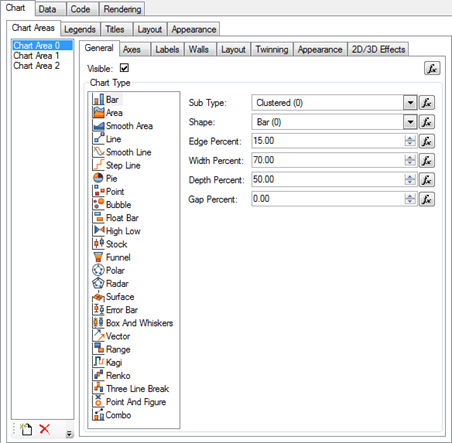
Nevron was kind enough to show me their chart and gauge for Reporting Services. In certain areas, their products exceed the charting capabilities of Reporting Services. Here are the highlights: The product provides support for SQL Server Reporting Services (SSRS) 2005, 2008, 2008R2 and SQL Server Data Tools (SSDT) 2012. Advanced Chart Designer Complete set of 2D and 3D Charting Types Support for Code Customization…
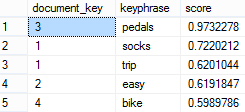
Suppose your company has a web application that allows customers to enter comments, such as to provide feedback about their product experience. How do you derive knowledge from these comments? Perhaps, customers are complaining a lot about a particular product. Or, they are raving about your service. Enter semantic search – a new feature in SQL Server 2012. Building upon full text search, semantic search…
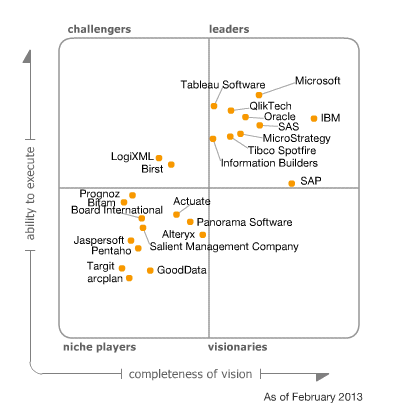
MVP fellow, Andrew Burst, discusses Gartner's newly released DW (not BI, mind you) magic quadrant. It looks like Gartner fell in love with Teradata but Microsoft is moving up as well thanks to the advances in its Parallel Data Warehouse (PDW) and in-memory offerings.
I ran into a severe performance issue with the Aggregate function and unrelated dimensions which I reported on connect. In this context, an unrelated dimension is a dimension that doesn't join any measure group in the cube. Why have unrelated dimensions? My preferred way to implement time calculations is use a regular dimension that is added to the cube but not related to any measure…
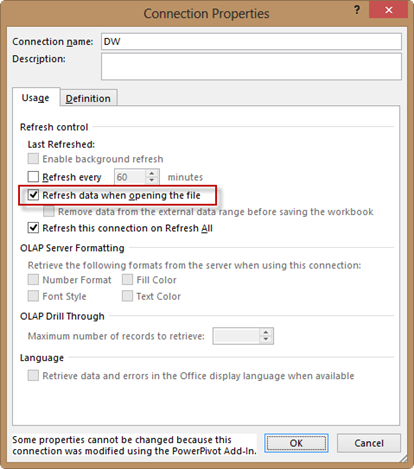
What options does a PowerPivot user have to refresh data in a PowerPivot model on the desktop, aka PowerPivot for Excel? Prior to Excel 2013, the answer was just one – manual refresh by either clicking the Refresh button in the PowerPivot window or the Refresh button in the Existing Connections dialog box. Note that the Refresh button in the Excel ribbon doesn't work since…
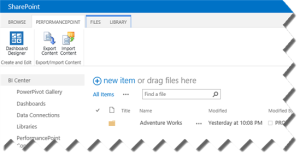
Besides the usual hassle configuring PerformancePoint, including insufficient permissions to databases and service accounts, version 2013 requires the SQL Server 2008 R2 drivers. This is surprising considering that SharePoint 2013 shipped after SQL Server 2012. In a previous blog, I explained how to configure the SharePoint 2013 BI Center. When you go to any of the PerformancePoint-related links, such as Dashboards or PerformancePoint Content, you'll…
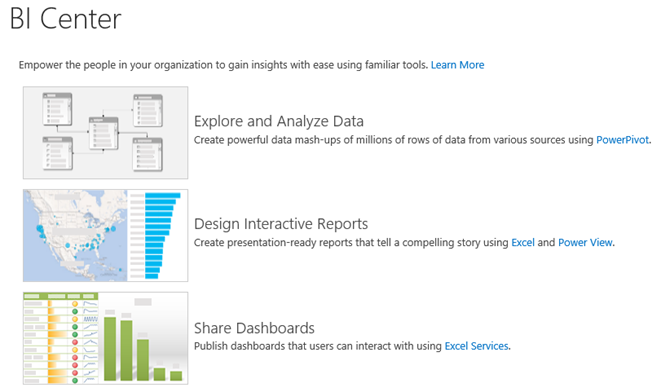
Where should I put my BI reports? Should I upload them to department-level SharePoint sites or put them in one place? These are common questions that we get from customers. Delivering on the promise of pervasive BI, my preference is to centralize BI artifacts in a single place. Ideally, this BI depository should be the SharePoint Business Intelligence Center. If organizational security is required, you…