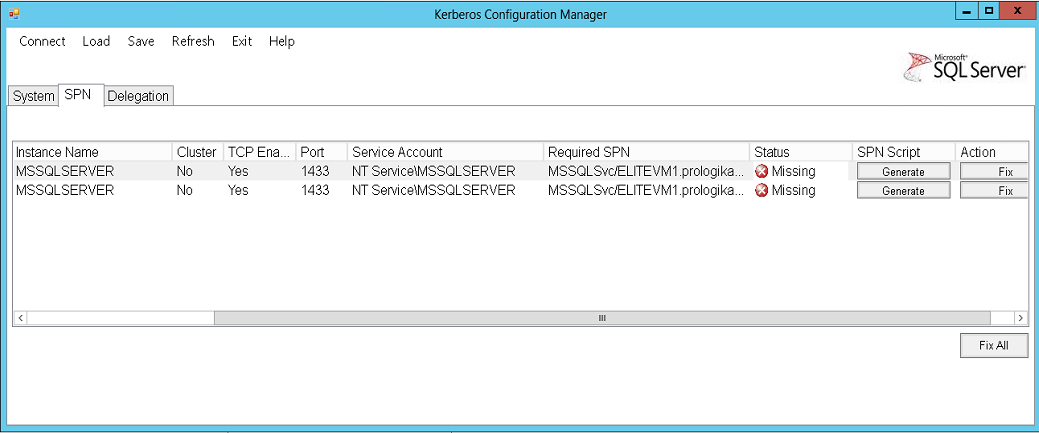
Anyone who has gone through configuring Kerberos knows that it's not fun. After having done a few installations, my personal record for configuring Kerberos for SharePoint, SSAS, SSRS, SQL Server, and PerformancePoint was 4 hours but I had all parties including the AD administrator in the same room. In an attempt to facilitate troubleshooting Kerberos, Microsoft released Microsoft Kerberos Configuration Manager for SQL Server. It's…
SQL Saturday 2013 in Atlanta was a raging success. Some 555 people attended which made it the most attended SQL Saturday even ever. I've uploaded the slides from my presentation "Best Practices for Implementing Enterprise BI Solution" to the Prologika site and Slideshare. The presentation had a great attendance and reviews. Thanks to everyone who attended it and it was great meeting all of you!…
Due to Memorial Day, we'll move our next Atlanta BI Group meeting to May 20th. The meeting will be sponsored by Strategy Analyzer. Our speaker will be Bijal Patel (Director of Data and Integration Services at Cox Media Group) and the topic is "Leveraging Data to Revolutionize a Mature Business". "Learn how the integration, management and analysis of data is helping Cox Media Group reinvent…
I'll present at SQL Saturday in Atlanta on May 18th. Initially, I was planning to talk about dashboard options with the Microsoft BI stack but the organizers had a call for more advanced content. To accommodate this request, I'll present Best Practices for Implementing an Enterprise BI Solution where I'll share proven practices harvested from real-life projects. "Learn best practices to make your organization a…
Scenario: You need to configure a Power View report to show data for a dynamic date, such as the current date or the last date with data. However, as it stands Power View doesn't support expressions. Workaround: Add a Boolean calculated column to the Date table that returns TRUE for the date of interest. For example, if you want the report to show data for…