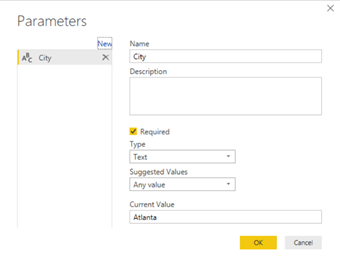
Issue: You have a parameterized SQL Stored procedure that you want to call in DirectQuery mode. You attempt to use "exec sp parameter" syntax in the Power BI Desktop which works in the Query Editor but it fails to execute due to syntax error when you apply changes. Workaround: Power BI uses the "select * from exec sp" syntax which doesn't work. However, if you…
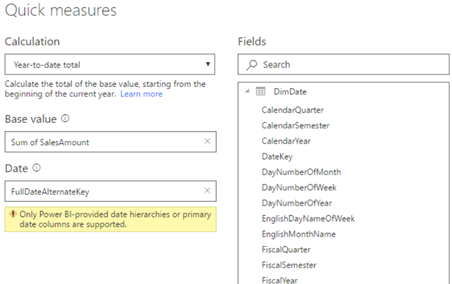
As I explained here, Power BI introduced the highly anticipated Quick Measures feature to avoid writing DAX formula for common measures. The feature is still in preview, so make sure you enable it in Power BI Desktop from File, Options and Settings, Options, Preview Features. Many quick measures, such as time intelligence calculations (YTD, QTD, Period Over Period Change, etc.), rely on a date field.…
So far, Power BI has lacked the ability to navigate to particular report element, such as another report page, and to allow you to show/hide visuals. For example, Tableau allows you to add buttons to pages and navigate to another page on button click. Such navigation capabilities are important for story telling and for emphasizing elements on the screen. This changes with the October release…
Scenario: A customer has implemented a Power BI model that retrieves data by calling the Dynamics CRM OData Feed endpoint. The dataset refresh operation is timing out. They want to increase the timeout setting but unlike connecting to SQL Server, where you can set the timeout duration in the source advanced properties, there is no UI for ODATA. Solution: If you open the query behind…
Can we surface Power BI reports deployed to Power BI Premium Report Server on mobile devices? Yes, and we have three quick options: Since Power BI reports render in HTML5, they should render in any modern browser. On iOS and Android devices, consider Power BI Mobile for optimum viewing experience. In Power BI Mobile, go to the Settings and click Connect to Server. Then plug…