
As it stands, Power Apps doesn’t offer an easy way to get to the app source code. Yet, there are scenarios where this could be useful, including:
- Putting the app source under source control when the Power Apps version history is not enough. Currently, Power Apps doesn’t integrate with source code repos, such as GitHub.
- Finding references to an item. For example, I’ve referenced a collection in the wrong property, and I couldn’t find what triggered the collection load on the app startup. Since Power Apps doesn’t currently include dependency analysis for collections, I wanted to search the source code to find all references to it.
Here is the fastest way to get to the app source code:
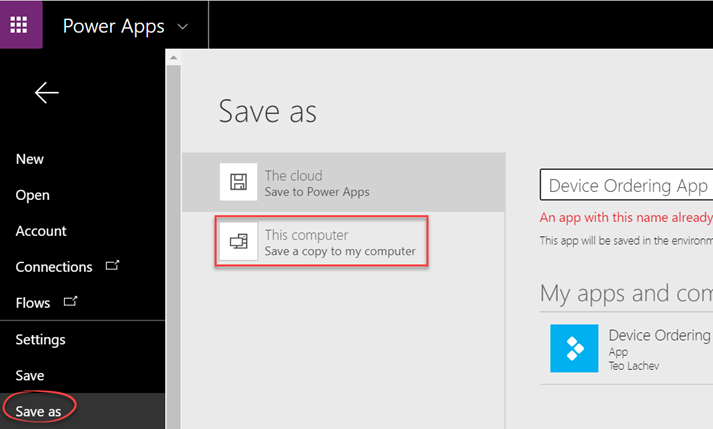
- Open the app in edit mode and click Save As.
- Choose “This computer” and click Download to download the app as a *.msapp file
- Rename the extension of the downloaded file to zip. Double click the zip file.
In my case, the exported app has three *.json files in the Controls folder. The interesting code is in the largest json file: 3.json.
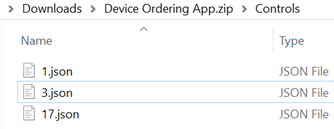
Open this file in your favorite JSON editor and this is how we get to the app source code.



JOIN THE CONVERSATION
Discussion