Scenario: You have installed Office 32-bit (I'm yet to see a company that installs 64-bit as IT loves default paths). Then, you install Power BI Desktop 64-bit. Upon trying to connect to some Office file, such as Access or Excel, you get a compatibility error. You try to install the 64-bit Microsoft Access Database Engine 2010 Redistributable but then you are greeted with "You have…
Your 2016 resolution: bring your data to life! Don't know where to start? I can help wherever you are! The first online run of Applied Power BI class is scheduled for early February. No travel, no hotel expenses, just 100% content delivered right to your desktop! Our intensive online classes teach you the skills to master Microsoft BI to its fullest. Use the opportunity…
Microsoft has been awarding Teo Lachev the prestigious Microsoft Most Valuable (MVP) award every year since 2004 for his expertise and contribution to the community.
Come and join me on Saturday, January 9 th at the first SQL Saturday BI edition in Atlanta. You'll learn about the exiting new BI changes coming to SQL Server 2016 and the Microsoft on-premises roadmap!
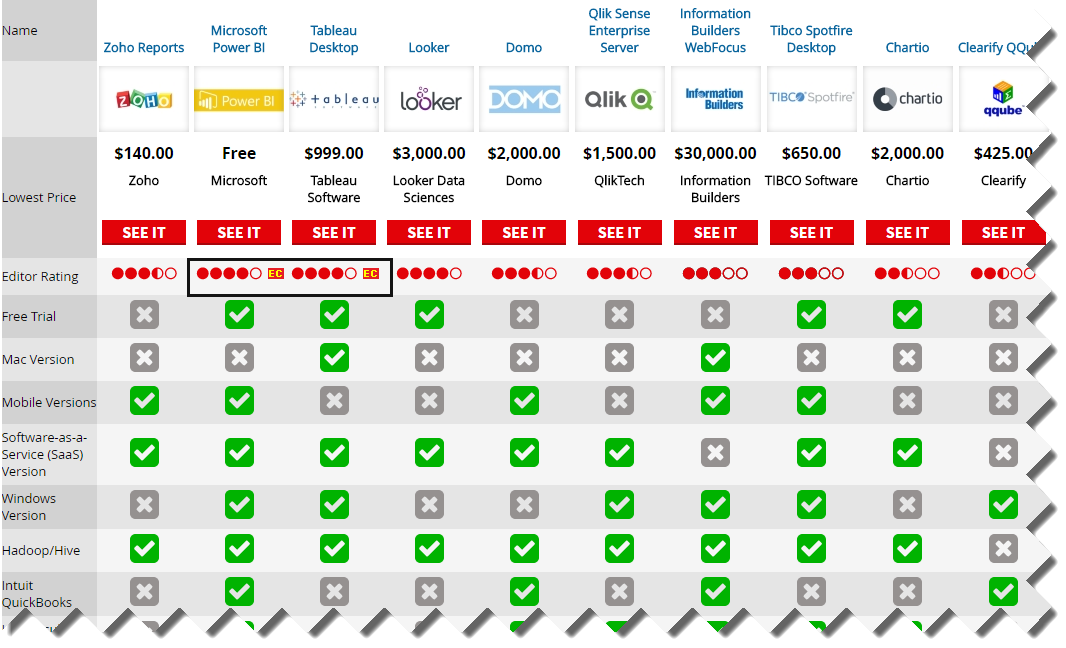
I came across this interesting PC Magazine article that just came up to compare 10 popular self-service BI tools. And the winner is? Power BI, of course, rubbing shoulders with Tableau for the Editor Choice award! The author, David Strom, did a great job reviewing the tools (this is not a trivial undertaking) but a few Power BI conclusions deserve clarifications: Cons: "Cloud version has…
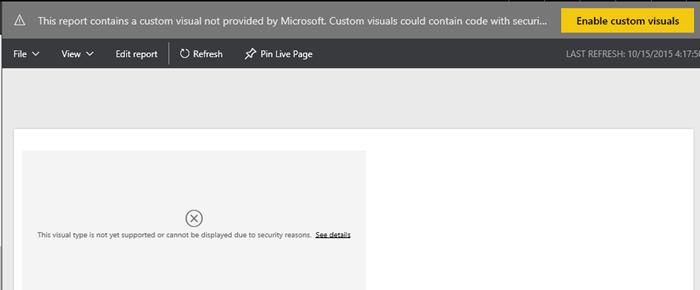
Scenario: You might have imported a custom visual in Power BI Desktop, tested it, and decided not to use it. However, even if your reports don't use the visual anymore, Power BI will still prompt you if you want to enable custom visual with "This report contains a custom visual not provided by Microsoft…". This is a security warning to avoid malicious code because custom…
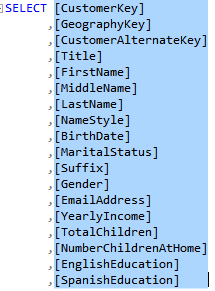
Scenario: You'd want to have user-friendly field names in Tabular, Power Pivot, and Power BI Desktop, such as Claim Amount as opposed to database column names, such as ClaimAmount or Claim_Amount. Multidimensional has a feature that automatically delimits words with spaces when it detects a title case or underscore but Tabular lacks this feature. While you can rename fields in Tabular on field at the…
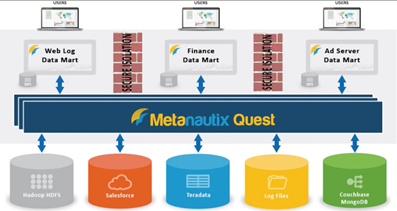
If you've missed the announcement from a couple of weeks ago, Microsoft acquired Metanautix – a startup founded by ex-Google engineers who worked on BigQuery (aka Dremel). Technical details are scarce at point. In fact, the Metanautix website doesn't exist anymore but there are YouTube videos and slides, such as this one. A while back, I wrote about logical data warehouses, which come in different…
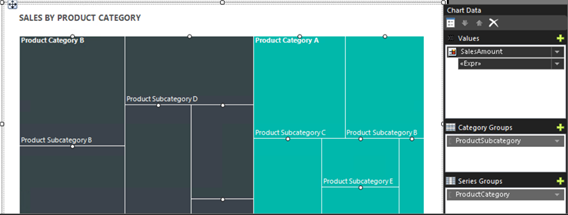
Years ago, I wrote a blog about how, with some code wizardry, you can create heat maps with Reporting Services. Moving to SSRS 2016, you don't have to do this anymore thanks to the new Treemap chart type! Speaking of new charts, SSRS also adds a Sunburst chart.