A customer reported that a Power BI date filter/slicer set to a specific date in Date dimension, let's say April 24, 2020, doesn't return some rows from the fact table that match that date. Upon some digging, the data was imported from Dynamics CRM and the source date column had UTC time. Power Query showed Date/Time/Timezone as a data type. However, the developer has converted…
MS BI fans, please join us online for the next Atlanta MS BI and Power BI Group meeting on Monday, May 4th, at 6:30 PM. Bill Anton will show you how to effectively apply time intelligence to your Power BI data models. For more details, visit our group page and don't forget to RSVP (fill in the RSVP survey if you're planning to attend). Presentation: Power BI…
Register for my next online Power BI Dashboard in a Day (DIAD) workshop and hone your data analytics skills! Drive value for your organization and on the road to recovery after COVID-19. Attend from anywhere for only $199. I'll teach you practical Power BI knowledge and data analytics skills that you can immediately apply to your job. See how Power BI can improve your usability…
Question: How to put Power BI files under source control? Workaround: Power BI Desktop does not currently support source control and it doesn't have an Excel-like extensibility mechanism to let developers take from where Microsoft left off. However, thanks to the enhanced dataset metadata (currently in preview), you can implement a rudimentary source control policy while waiting for third parties to fill in the void…
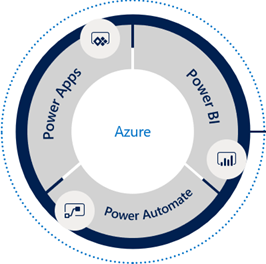
Take advantage of this exclusive opportunity to increase your data IQ from the comfort of your home wherever you are! Register today for my instructor-led digital training events and learn the Microsoft Power Platform consisting of Power BI, Power Apps, and Power Automate. 1-Day Power BI Dashboard in a Day (DIAD) Workshop Date: April 14, 2020 Time: 9:00 AM – 5:00 PM Eastern Time (GMT…
Are you looking for an agile self-service BI platform that doesn’t require reporting and query skills to get basic analytics done without reliance on IT? Partnering with Microsoft, Prologika is pleased to offer an 1-day instructor-led workshop covering the end-to-end self-service BI process with Power BI. Redesigned for digital delivery, this workshop will help you understand how to analyze your data in a rich and…
MS BI fans, the time has come for a virtual meeting. Please join us online for the next Atlanta MS BI and Power BI Group meeting on Monday, April 6th, at 6:30 PM. I'll show you how business analysts can apply AutoML in Power BI Premium to create predictive models. For more details, visit our group page and don't forget to RSVP (fill in the RSVP…
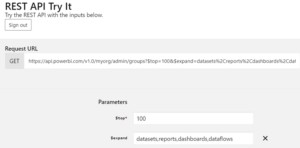
Power BI Service (powerbi.com) packs a graphical lineage view with the caveat that it only works within a workspace. As a Power BI admin, you may need a utility to inventory all Power BI artifacts published to all workspaces (including My Workspaces) in your Power BI tenant. Fortunately, the Admin - Groups GetGroupsAsAdmin can do the job in one call without any coding! Don't be…
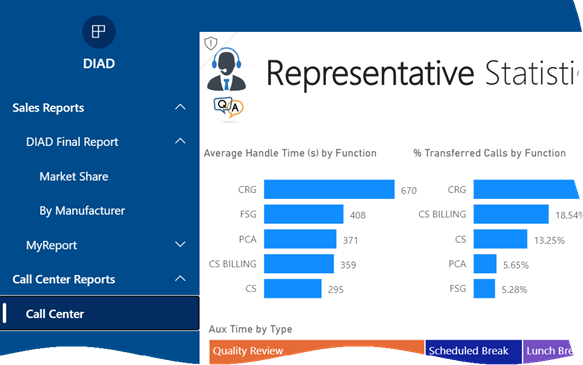
Scenario: Management has requested an easy way to view a subset of strategic reports located in different Power BI workspaces. You can ask the users to mark reports and dashboards as favorites so they can access pertinent content in the Favorites menu, but you're looking for an easier configuration, such as to create a book of reports with a built-in navigation that organizes reports in…
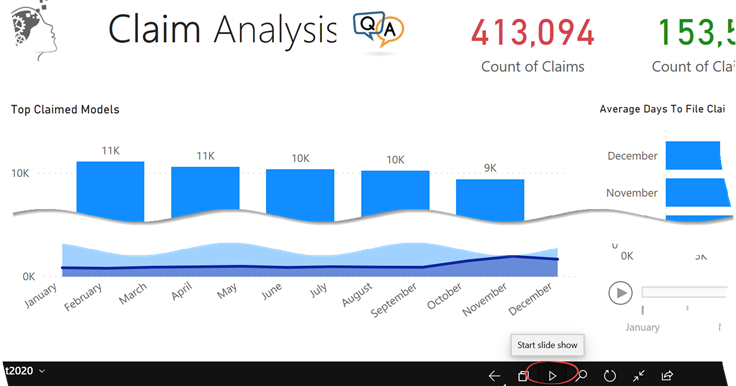
Scenario: You plan to display a Power BI report on a monitor. You want the report to automatically cycle through report pages, showing each after a configurable time delay, like a photo slide show. Solution: There are at least two solutions to accomplish this: The Microsoft-supported way is to install the Power BI Mobile for Windows and use its presentation mode feature, which is shown…