Just passed the Microsoft DP-203 exam and added yet another badge to my certification portfolio. This certification is one of the requirements for partners to maintain Microsoft Gold Data Analytics Competency, so I'm glad to take this off my list.
Please join us online for the next Atlanta MS BI and Power BI Group meeting on Monday, February 7th, at 6:30 PM ET. Your humble correspondent will show you different techniques to implement scorecards with Power BI. For more details and sign up, visit our group page. Download the presentation assets here. Presentation: Implementing Scorecards Date: February 7th Time: 6:30 – 8:30 PM ET Place:…
So much data, so little budget! Caching data in Power BI gives you the best report performance, but budget constraints usually put downward pressure to stay within lower Power BI Premium premium plans. So, what to do? Split large models. Remember that Power BI Premium Gen2 grants each dataset a 25 GB memory quota. I'm actually a big proponent for consolidated organizational semantic models, but…
I'm preparing for the new Azure Data Engineer exam, which is one of options to maintain a Gold Certification for Data Analytics for MS partners that has to be renewed annually. I'm really impressed by the Azure Learning Path self-paced environment that Microsoft put together. The training material is top-notch, and I actually learn some practical and useful stuff from the covered topics on ADLS,…
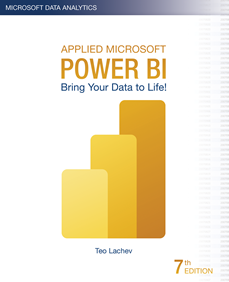
Happy New Year! I'm excited to announce the availability of the seventh edition of my Applied Microsoft Power BI book! When the first edition was published in January 2016, it was the first Power BI book at that time and it had less than 300 pages. Since then, I helped many companies adopt or transition to Power BI and taught hundreds of students. It's been…
Please join us online for the next Atlanta MS BI and Power BI Group meeting on Monday, January 3rd, at 6:30 PM ET. Paul Turley will show us how to integrate Power BI with paginated (SSRS) reports. And your humble correspondent will update you on the Power BI latest. For more details and sign up, visit our group page. Presentation: Power BI Paginated Reports: The…
Bring your data to life today and learn how Power BI changes the way everyone gains insights from data. Publication date: 1/1/2022 Size: 590 pages, 7.5" x 9.25" Price: $49.99 ISBN 10: 1-7330461-3-5 ISBN 13: 978-1-7330461-3-8 Introduces information workers, data analysts, IT pros, and developers to Microsoft Power BI — a cloud-hosted, business intelligence and analytics platform that democratizes and opens BI to everyone, making…
Happy Holidays! More and more organizations consider data virtualization to abstract the underlying storage and integrate siloed sources. In this letter, I'll discuss a real-life project that used PolyBase to expose third-party ERP data as SQL tables. Before I get to the subject of this newsletter, I'm excited to announce the seventh edition of my "Applied Microsoft Power BI" book. It should be available on…
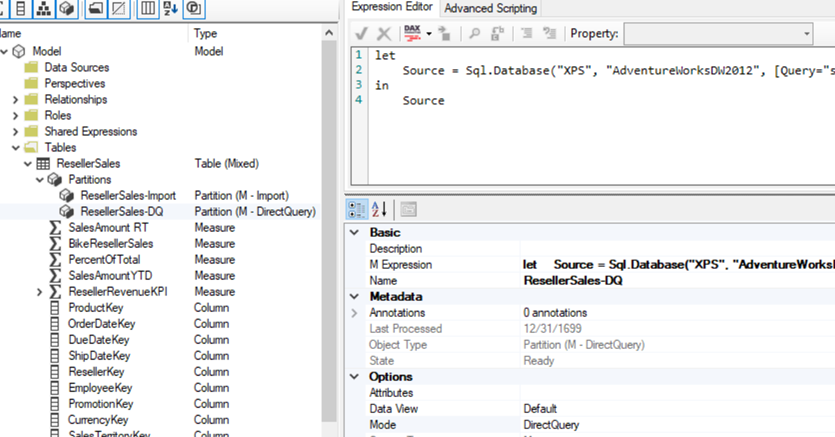
A while back a client wanted to avoid importing a large snapshot fact table with loan balances because its memory footprint would require them to upgrade to a higher Power BI premium plan. This of course required leaving the table in DirectQuery mode at the expense of query performance. Luckily, most users would be interested in the latest six months of data. To speed up…
Please join us online for the next Atlanta MS BI and Power BI Group meeting on Monday, December 6th, at 6:30 PM ET. To finish the year at a high note, the famous Guys in the Cube (Patrick and Adam) will tell us how keep the data fresh in Power BI. And your humble correspondent will update you on the Power BI latest. For more…