I'm excited to announce the third edition of my Applied Microsoft Power BI book! When the original book was published in January 2016, it was the first Power BI book at that time. Since then, I helped many companies adopt or transition to Power BI, and taught hundreds of students. It's been a great experience to witness the momentum surrounding Power BI. The third revision…
Sharing Reports with External Users Happy Holidays! I hope you're enjoying this special time of the year – time for sharing and giving. Speaking of sharing, how does your company share BI artifacts with your B2B or B2C partners? Do you still send Excel spreadsheets or embed canned SSRS reports? If so, Power BI offers a better sharing model and I'll show you how in…
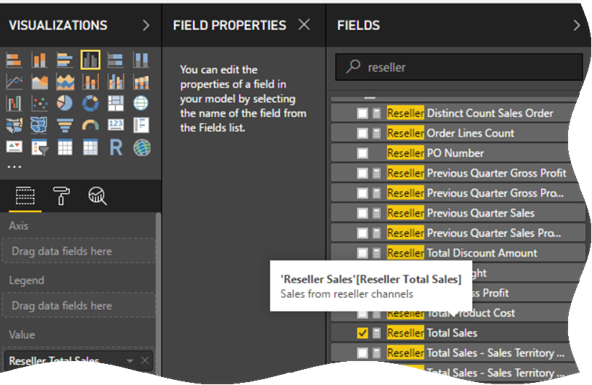
I'm a big fan of self-documented semantic models. Business users have a hard time getting their way around complex models and descriptions can go a long explaining the purpose of metadata. After waiting for years for Excel to support field descriptions (the wait is still on), the December update of Power BI Desktop now supports them. The new Field Properties window lets you enter descriptions…
Feeling the heat, Tableau has come up with an updated Power BI vs. Tableau battle card as one of my clients pointed out. This time designed as a video. I guess the previous "10 Ways Power BI Falls Short" slide deck, which I discussed in the part 1 and part 2 of my "Power BI vs. Tableau" blog , wasn't effective enough. I concur given…
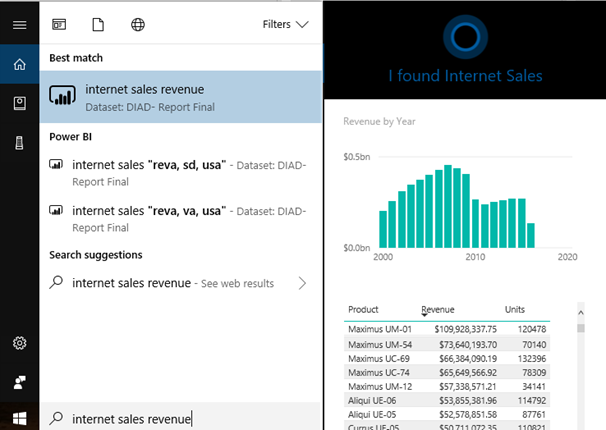
A Power BI presentation is rarely complete if someone doesn't ask me to demonstrate the Cortana integration. However, unlike everything else in Power BI that gains features in time, in my opinion the Cortana experience has lost some value. Previously, you could ask natural questions in Cortana across datasets, just like you can use the Power BI Service Q&A to gain insights from dashboards. Unfortunately,…
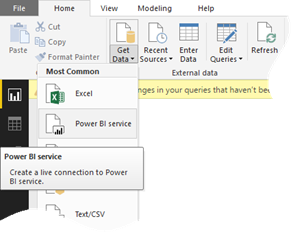
Scenario: You have published a Power BI Desktop file with a report to Power BI Service. You want to give certain users access to some pages in the report. This is not a security mechanism although it could be, if you want to control security at the report layer. Solution: When a customer asked about this scenario, my first thought was to create reports directly…
Issue: You have a parameterized SQL Stored procedure that you want to call in DirectQuery mode. You attempt to use "exec sp parameter" syntax in the Power BI Desktop which works in the Query Editor but it fails to execute due to syntax error when you apply changes. Workaround: Power BI uses the "select * from exec sp" syntax which doesn't work. However, if you…
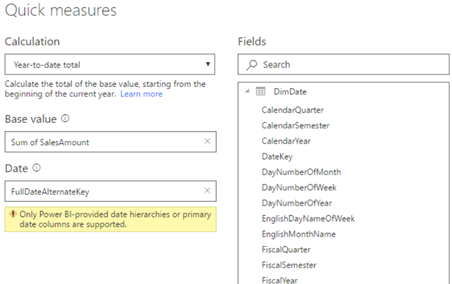
As I explained here, Power BI introduced the highly anticipated Quick Measures feature to avoid writing DAX formula for common measures. The feature is still in preview, so make sure you enable it in Power BI Desktop from File, Options and Settings, Options, Preview Features. Many quick measures, such as time intelligence calculations (YTD, QTD, Period Over Period Change, etc.), rely on a date field.…
So far, Power BI has lacked the ability to navigate to particular report element, such as another report page, and to allow you to show/hide visuals. For example, Tableau allows you to add buttons to pages and navigate to another page on button click. Such navigation capabilities are important for story telling and for emphasizing elements on the screen. This changes with the October release…
Scenario: A customer has implemented a Power BI model that retrieves data by calling the Dynamics CRM OData Feed endpoint. The dataset refresh operation is timing out. They want to increase the timeout setting but unlike connecting to SQL Server, where you can set the timeout duration in the source advanced properties, there is no UI for ODATA. Solution: If you open the query behind…