MS BI fans, join me for the next must-attend Atlanta MS BI and Power BI Group meeting on April 24th at 6:30 PM. Mike Bruce and Alex Higgins from Acuity Brands will share how they use Power BI to improve their development process. Acuity Brands will sponsor the event. And I'll demo the new Quick Measures Power BI measure. Presentation: Using Power BI to Track Software Development…
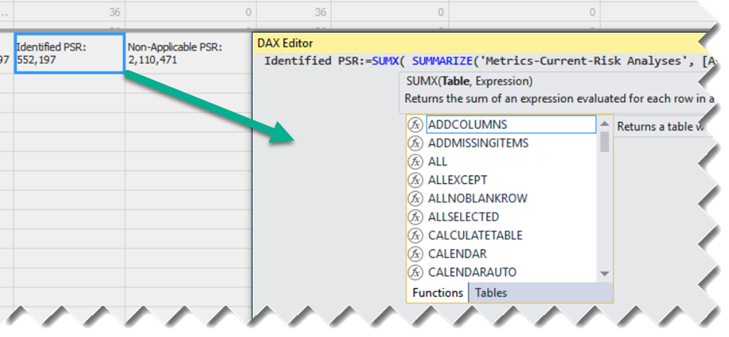
The Tabular toolset is getting better. One thing that I miss from Multidimensional is the cube script that lets you view all custom calculations in one place so that you can organize them any way you want, add comments, etc. This is why I contributed to the DAX Editor tool. Microsoft has taken notice and introduced a tool (also called DAX Editor) in the latest…
Excel 2016 added a Publish to Power BI menu to let you export or connect Excel workbooks to Power BI. You can read more about this Excel feature here. One area where Excel is still ahead of Power BI Desktop is that is has an object model that lets you automate tasks with VBA. Unfortunately, Power BI Desktop doesn't have an object model so you have…
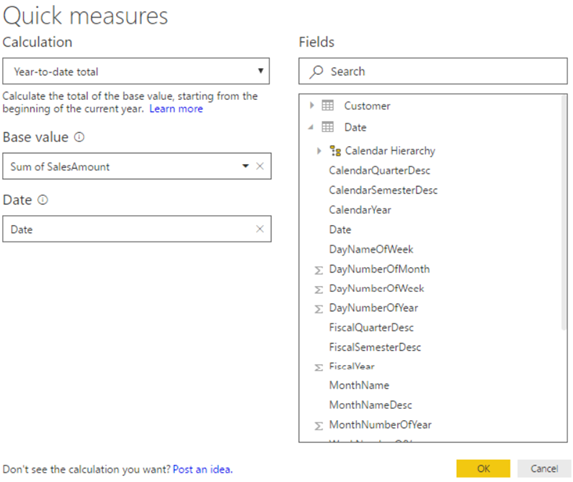
One of the most common complaints raised by Power BI customers is the DAX steep learning curve. The April release of Power BI Desktop introduces a feature called Quick Measures. Currently in preview (make sure to enable Quick Measures from File ð Options and settings ð Options, Preview features), Quick Measures are supposed to replace Quick Calcs. Besides supporting only a limited number of packaged…
MS BI fans, join me for the next Atlanta MS BI and Power BI Group meeting on Monday, March 27th at 6:30 PM. Dave Tangren and Nelson Davis from Slalom will compare Power BI to Tableau. Slalom will sponsor the event. I'll show the latest of the Power BI Matrix visual. It will be a great meeting! Presentation: Comparing Power BI to Tableau Level: Intermediate Date:…
Patrick LeBlanc and I will deliver a free seminar "Get the Most Out of Power BI" on May 3rd, 8:30 AM to 12 PM, at the Microsoft Office in Alpharetta. You won't want to miss this educational and engaging event! Please register today as seating is limited at https://prologika.com/event/get-the-most-out-of-power-bi/. Power BI is about empowering all types of users to get insights from data. It consists of…
I'm presenting "7 Ways to Integrate Excel with Power BI" for the Atlanta Modern Excel Group on April 19th at the Microsoft office in Alpharetta. Prologika and Microsoft are sponsoring the event. Please RSVP here. Power BI is gaining a momentum but Excel still rules the corporate world. Fortunately, Power BI and Excel are not exclusive choices. Join me to learn how you can preserve…
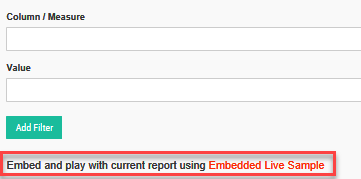
I was doing a Power BI Embedded demo for a customer and lo and behold, being an ever-changing cloud technology, Power BI Embedded surprised me in a great way. When you install and run the Embedded Sample, it adds a nice "Embed and play with current report using Embedded Live Sample" link to the Page Navigation section. This brings you to the Power BI Embedded…
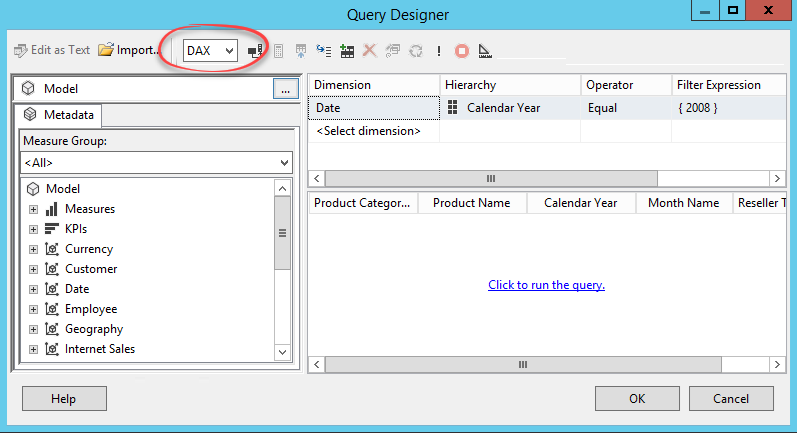
Analysis Services Tabular has gained a lot of momentum for implementing organizational semantic models but its toolset has been lacking. SSRS developers had to rely previously on the MDX Query Designer to send MDX queries to Tabular. If DAX queries were preferred (and they often are for better performance since DAX is the native Tabular query language), developers had to type in DAX manually. And if…
I'm presenting "Embed Interactive Reports in Your Apps" at Birmingham SQL Saturday 2017, on March 18th at 1 PM. I'll discuss different options to embed Power BI reports in internal and external apps. You have the app. You have the data. What if your app could put the power of analytics everywhere decisions are made and allow your customers to gain insights? Modern apps with…