Power BI aggregations are meant to speed up queries to large DirectQuery tables, as a DBA would create summarized tables to speed up queries to large tables. The most appealing aspect of telling Power BI about these aggregations is that Power BI will automatically redirect the query to the aggregation cache if it determines that its dimensionality matches the dimensionality of the aggregated table, as…
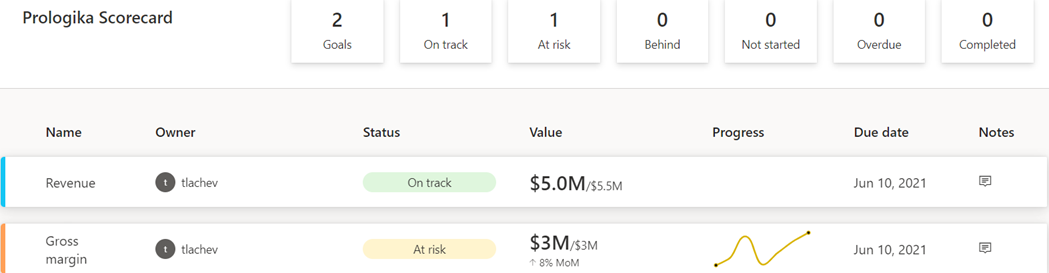
A vital BI practice for every organization, performance management ensures that important metrics, such as Key Performance Indicators (KPIs), meet established goals. The typical artifact to do so is implementing a scorecard: a report that compares the current state with the desired state of these metrics. You might have also heard the term "balanced scorecard" which is an organization-wide scorecard that tracks several subject areas,…
Power BI has made tremendous strides in features solidifying its position as a BI leader and increasing the feature distance over the competition (see latest Gartner report here). And rightfully so, considering that it's much more than a visualization tool. However, you might find its advanced presentation capabilities still lagging. During a current BI assessment for a large mortgage company, the executive sponsor who have…
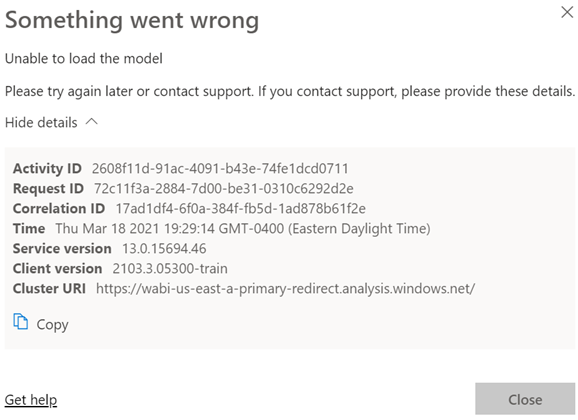
Scenario: You deploy a model to a Power BI workspace. You assign users to Members and Viewers roles. Everyone is happy. You later added a row-level security role and republish the model. Admins, Contributors and Members continue to view reports connected to the dataset as usual. However, Viewers report an error like the one shown below (didn't Microsoft do an outstanding job explaining what went…
Amidst the COVID pandemic, the Houston Health Department (HHD) had another predicament to tackle. With lab results accumulating rapidly at one million cases per month, the vendor system they used for capturing and analyzing COVID data couldn't keep up. In this newsletter, you'll learn how Prologika implemented a BI solution powered by SQL Server and Power BI to solve technology challenges, and deliver fast and…
Amidst the pandemic, the Houston Health Department (HHD) had another predicament to tackle. With lab results accumulating rapidly at one million cases per month, the vendor system they used for capturing and analyzing COVID data couldn't keep up. The SQL Server database had large tables with normalized name-value pairs for each question and answer received from the patient, and for each investigation result. Read our…
Please join us online for the next Atlanta MS BI and Power BI Group meeting on Monday, March 1st, at 6:30 PM. Your humble correspondent will discuss the business value of semantic models and implementation options for self-service BI and organizational BI. For more details, visit our group page. Download the slide deck from here. Presentation: Implementing Semantic Models Date: March 1st, 2021 Time 6:30…
Please join us online for the next Atlanta MS BI and Power BI Group meeting on Monday, February 1st, at 6:30 PM. Paul Turley (MVP) will show you how to use Power Query to shape and transform data. For more details, visit our group page. Presentation: Preparing, shaping & transforming Power BI source data Date: February 1st, 2021 Time 6:30 – 8:30 PM ET Place:…
The moment you add a calculation group to your model, Power BI sets DiscourageImplicitMeasures = True on the model. Although this property can trick you to be believe that they are still supported, you can't create implicit measures, such as by dragging a numeric field on the report to summarize that field. That's because implicit measures are created as inline calculations which calculation groups don't…
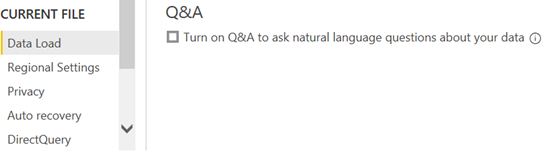
I've noticed severe performance degradation after refreshing a Power BI Desktop model with some five million rows. The Power BI Desktop process showed a sustained 50-60 % utilization for minutes in the Windows Task Manager. I did a profiler trace and I saw expensive DAX queries like these: EVALUATE SELECTCOLUMNS(FILTER(VALUES('Sales'[PONumber]),LEN('Sales'[PONumber])<=100),"valueColumn",'Sales'[PONumber]) EVALUATE SELECTCOLUMNS(FILTER(VALUES('Sales'[SalesOrderNumber]),LEN('Sales'[SalesOrderNumber])<=100),"valueColumn",'Sales'[SalesOrderNumber]) EVALUATE SELECTCOLUMNS(FILTER(VALUES('Sales'[InvoiceNumber]),LEN('Sales'[InvoiceNumber])<=100),"valueColumn",'Sales'[InvoiceNumber]) As it turned out, Power BI Desktop autogenerates these queries when…