
In my “Understanding Dates in Power BI Quick Measures” blog, I mentioned that having a Date table is a best practice but Quick Measures didn’t support it. Fortunately, the February update of Power BI Desktop fixes this. Now you can mark a Data table as such, as you’ve been able to do in Excel Power Pivot since the beginning.
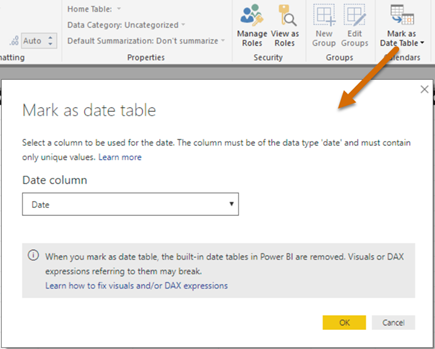
Marking a date table accomplishes three things:
- Disables the Power BI-generated date hierarchies (aka as inline hierarchies). Good riddance! Check the same blog for details of why inline hierarchies should be avoided.
- Allows you to use your Date table for time calculations in Quick Measures.
- Makes DAX time calculations work even if the relationship between a fact table and the Date table is created on a field that is not a date field, such as a smart integer key (YYYYMMDD). Previously, you had to create the relationship on a field of Date data type.



JOIN THE CONVERSATION
Discussion