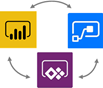
Extending Power BI with PowerApps and Flow With hundreds of vendors out there, choosing a BI tool isn't easy. If you've been following me for a while, you know that I love Power BI. One of the Power BI most prominent strengths is that it's a part of the much broader Microsoft Data Platform that spans various on-premises and cloud offerings for data storage, processing,…
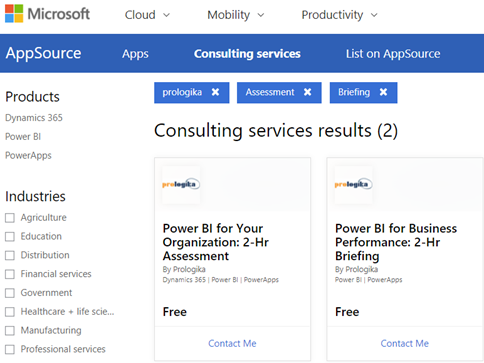
Microsoft selected and published two Prologika Power BI-related consulting offers on Microsoft AppSource. And their price is right; they are both free! Power BI for Your Organization: 2 HR Assessment – Prologika will evaluate your data analytics objectives to determine how Power BI can empower your organization to understand better and improve its business. Power BI for Business Performance: 2-Hr Briefing – Prologika will provide you with…
MS BI fans, join us for the next Atlanta MS BI and Power BI Group meeting on February 26th at 6:30 PM. Stacey Jones will explain how Power BI can integrate with other systems, such as Dynamics and Salesforce. SentryOne will sponsor the meeting. And your humble correspondent will show you two latest Power BI features: report sharing and date tables. For more details, visit our group page and don't…
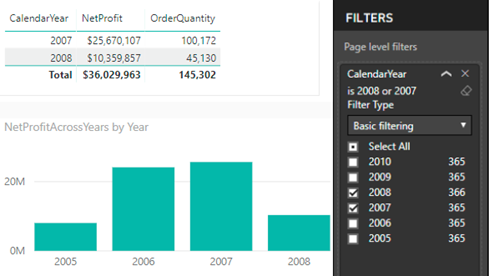
Scenario: You've created a dashboard-looking Power BI report that has a filter. Most visuals on a report page need to show only data for the selected filter but some must ignore the filter. Solution: There are several solutions to achieve this goal depending on requirements. Let's start with the no-brainer and move down in complexity. Move the unfiltered visuals to another report page -- Slicers…
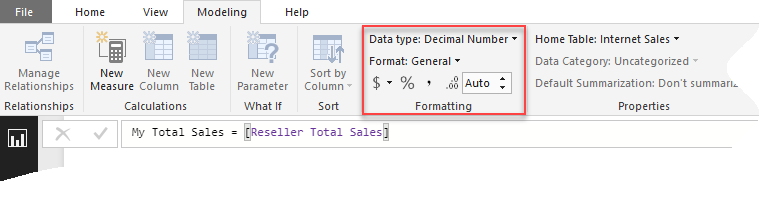
Scenario: You want to overwrite the formatting of some field in a Power BI Visual, such as in the case of showing the field in one visual with decimals and then in another without decimals. Or, you might want to overwrite the default format when connected live to a semantic model. You search left and right, bing the Internet, and still no clue as to…
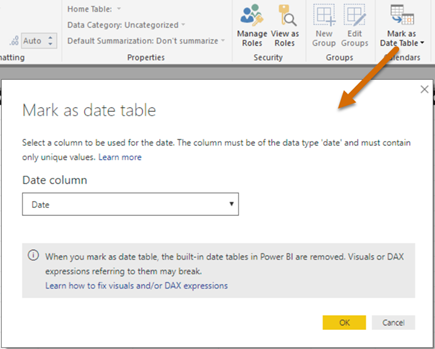
In my "Understanding Dates in Power BI Quick Measures" blog, I mentioned that having a Date table is a best practice but Quick Measures didn't support it. Fortunately, the February update of Power BI Desktop fixes this. Now you can mark a Data table as such, as you've been able to do in Excel Power Pivot since the beginning. Marking a date table accomplishes three…
Microsoft has differentiated itself for many years as the company that not only sells software, but software that works well together. For example, many companies sold suites of office productivity software, but none sold software that worked as well together as Microsoft Office. We continue that legacy today with Power BI, the leading BI software in the industry, and the integration story is improving, working…
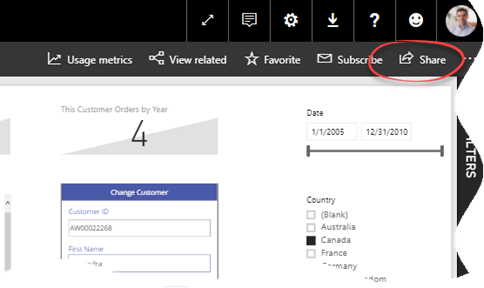
A week ago, I wrote that Power BI sharing improved by giving you the ability to include specific reports and dashboards in an app. Recall that that there are three ways to share Power BI content: workspaces, apps, and dashboard sharing. Only the last two lets you share content out of a workspace, such as by sharing with free users if the workspace is in…
MS BI fans, join us for the next Atlanta MS BI and Power BI Group meeting on January 29th at 6:30 PM. Julie Smith will hack sweet reports in Power BI. Innovative Architects will sponsor the meeting. And your humble correspondent will show you two new cool Power BI features: integration with PowerApps and Q&A in Power BI Desktop. For more details, visit our group page. Presentation:…
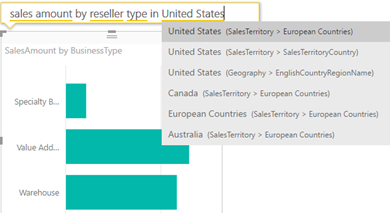
Natural queries (aka Q&A) has been a prominent feature since Power BI Service existed. Wouldn't be nice to do the same in the Power BI Desktop? You can, but make sure to enable first Q&A from File, Options and Settings, Options ("Preview features") tab because it's currently a preview feature. Once you do this and restart Power BI Desktop, you should see "Ask A Question"…