What tool do you use for Analysis Services Tabular development? SSDT right, what else? Here is a little secret. I almost don't use SSDT anymore, except for limited tasks, such as importing new tables and visualizing relationships. I switched to a great community tool – Tabular Editor and you should too if you're frustrated with the SSDT Tabular Designer. Back in 2012 Microsoft ported the…
Microsoft introduced Azure Data Factory (ADF) in 2015 to handle a specific scenario: tumbling window loads for Hadoop and other big data systems for internal MS usage. Then a need arose for a PaaS public-facing data integration platform which led to an interesting dilemma: SSIS or something else? Since SSIS wasn't designed to scale out in the cloud, ADF rose to the challenge. I could…
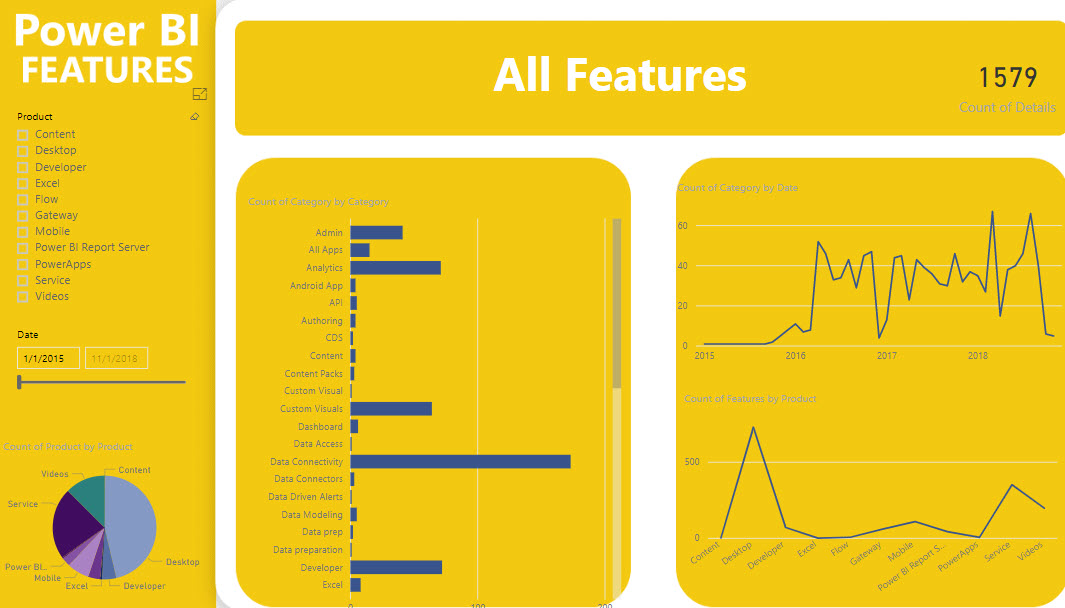
Want to know what Power BI features were released in a certain time period? Check out the Power BI Features report. After some delay, you should see the report embedded on the page but please be patient. If no patience, you can also download the pbix file from the same page. Then, use the slicer on the first page to filter your date range. In…
How expensive is an xVelocity relationship? The answer depends on several factors, such as column cardinality, DAX calculations, and query itself. But it general, a relationship can add a significant overhead. Consider two tables: Customer (7.1 million rows) and Account Snapshot (187 million rows) and a relationship 'Account Snapshot'[CustomerKey] -> Customer[CustomerKey]. I'll use two queries for the test. The Relationship query uses the 'Account Snapshot'[CustomerKey]->Customer[CustomerKey]…
Semantics relates to discovering the meaning of the message behind the words. In the context of data and BI, semantics represents the user's perspective of data: how the end user views the data to derive knowledge from it. A modeler translates the machine-friendly database structures and terminology into a user-friendly semantic model that describes the business problems to be solved. To address this need, you…
Struggling with DAX? Data Analysis Expressions (DAX) is the expression language of Power BI, Power Pivot, and Analysis Services Tabular. It's very powerful but it's usually perceived as complex and requiring a steep learning curve. Taught by an established expert, this two-day workshop is designed to help you become proficient with DAX. Think of this workshop as advanced Power BI training. Reserve your seat today…
Data Analysis Expressions (DAX) is the expression language of Power BI, Power Pivot, and Analysis Services Tabular. It's very powerful but it's perceived as complex, requiring a steep learning curve. I'm excited to announce a new 2-day "Applied DAX with Power BI" workshop that I designed to help you become proficient with DAX. You'll learn practical skills that will help you tackle a wide range…
Scenario: DAX has its own share of idiosyncrasies that can humble both novice and experienced users. Consider a common example where a measure attempts to return sales for the last date in the Date table. What makes this common is that many real-life calculations require measures that evaluate as of the user-specified date (as of date), which is what MAX('Date'[Date]) returns. =CALCULATE(SUM(Sales[SalesAmount]), MAX(Date[CalendarYear]) ) As…
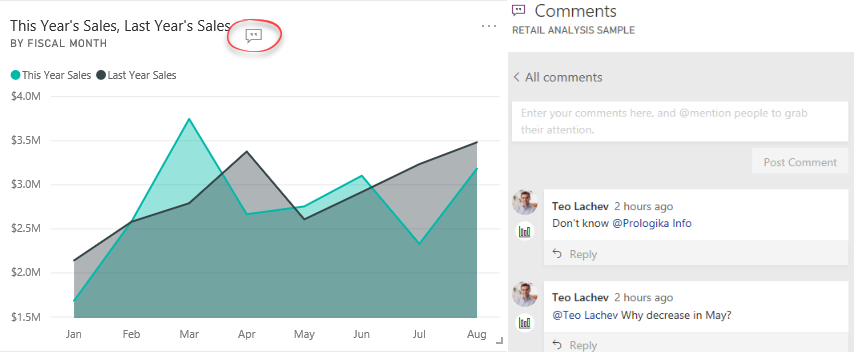
As Microsoft announced in the "Distribute insights across the organization with Microsoft Power BI" presentation (forward to the Nikhil Gaekwad part starting at the 32 min), they've been releasing the following set of features to improve the end user experience in Power BI Service: Home (not yet available) – Personalized landing page Personal bookmarks (not yet available) – End users can create their own bookmarks Persistent…