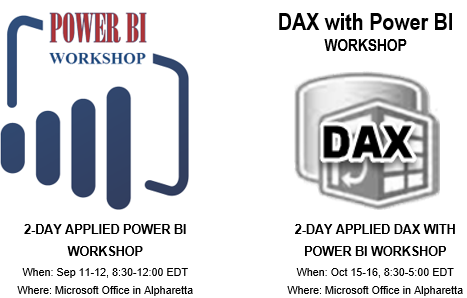
I have a few public events in September (all in Atlanta). Sep 11-12: 2-day Power BI open enrollment workshop Sep 20: "10 Ways to Empower Your BI Strategy with Power BI" presentation for DAMA Sep 22: "Bridge Analytics and Developer Worlds with Power BI and PowerApps" presentation for SQL Saturday – BI Sep 25: Meeting of Atlanta MS BI and Power BI Group at the…
Question: What's the maximum dataset size Power BI can support? Answer: As of now (Sep 1, 2018), the maximum dataset size that Power BI Pro can support is 1 GB. The maximum dataset size with Power BI Premium and Power BI Embedded is 10 GB but it depends on the SKU purchased. Power BI Premium Plan Power BI Embedded Plan Max Dataset Size and Memory P1…
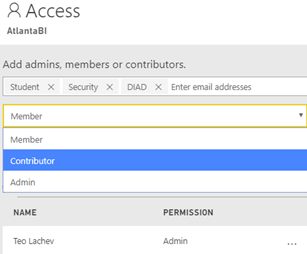
A Power BI training or assessment won't be complete unless I get hammered on the Power BI sharing limitations. So far, I could only mumble something to the extent of "I agree that Power BI sharing sucks big time", look for the exit and suggest an unplanned break. Fortunately, it looks like quantitative accumulations from unhappy corporate customers have resulted in qualitative changes as Microsoft…
MS BI fans, join us for the next Atlanta MS BI and Power BI Group meeting on Monday, August 28th, Tuesday at 6:30 PM at the Microsoft office in Alpharetta (our regular venue room is being renovated). If you haven't been at the new MS office, prepare to be impressed! Mark Tabladillo, Ph.D, from Microsoft will show you how to advanced analytics with Power BI. Accelebrate will sponsor…
I rarely teach classes open to the public so take advantage of this exclusive opportunity to increase your data IQ! After course completion and by the end of the year, all course attendees will receive a free, one-hour, follow-up consultation with me on any Power BI or SQL Server related topic. Register today for these in-person and instructor-led training events as seating is limited. 2-Day…
As you've heard, data volumes are increasing and putting pressure on BI practitioners to do more with less within ever shrinking processing windows. I've provided some ETL best practices in various blogs, such as my "Is ETL (E)ating (T)hou (L)ive?" newsletter. A few additional considerations regarding data movement bottlenecks came from two recent projects targeting SQL Server. Slow Network If you're loading data from data…
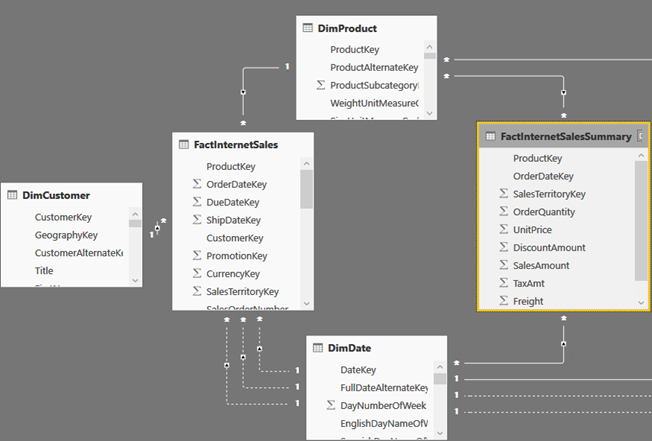
During the "Building a data model to support 1 trillion rows of data and more with Microsoft Power BI Premium" presentation at the Business Applications Summit, Microsoft discussed the technical details of how the forthcoming "Aggregations" feature can help you implement fast summarized queries on top of huge datasets. Following incremental refresh and composite models, aggregations are the next "pro" feature that debuts in Power…
The July release of Power BI Desktop introduced composite models, which I wrote about in my blog "Power BI Composite Models: The Good, The Bad, The Ugly" Composite models make data acquisition much more flexible but also more complex. A Power BI table can now be configured in one of these storage modes: Import – The table caches the data. All Power BI features work.…
A good turnout last night for our Atlanta MS BI and Power BI Group July meeting. Some 60+ attended the meeting at the MTC office at Avalon. Kudos to Scott Fairbanks for the great presentation and CCG for sponsoring the meeting. Thanks to Microsoft for hosting us. We'll make the slides available shortly at http://atlantabi.pass.org/Resources.aspx.
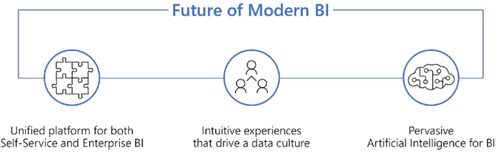
If you haven't done so, watch the "Power BI and the Future for Modern and Enterprise BI" presentation from the Business Applications Summit (July 22-24) to find where Microsoft is bringing Power BI in the next few months. Power BI Service Scale and Adoption 19M data models hosted 58M monthly publish to web views 8M+ report and dashboard queries/hour Power BI a top 10 fastest…