
-
Using DQS for Externalizing Data Validation Rules
July 20, 2015 / No Comments »
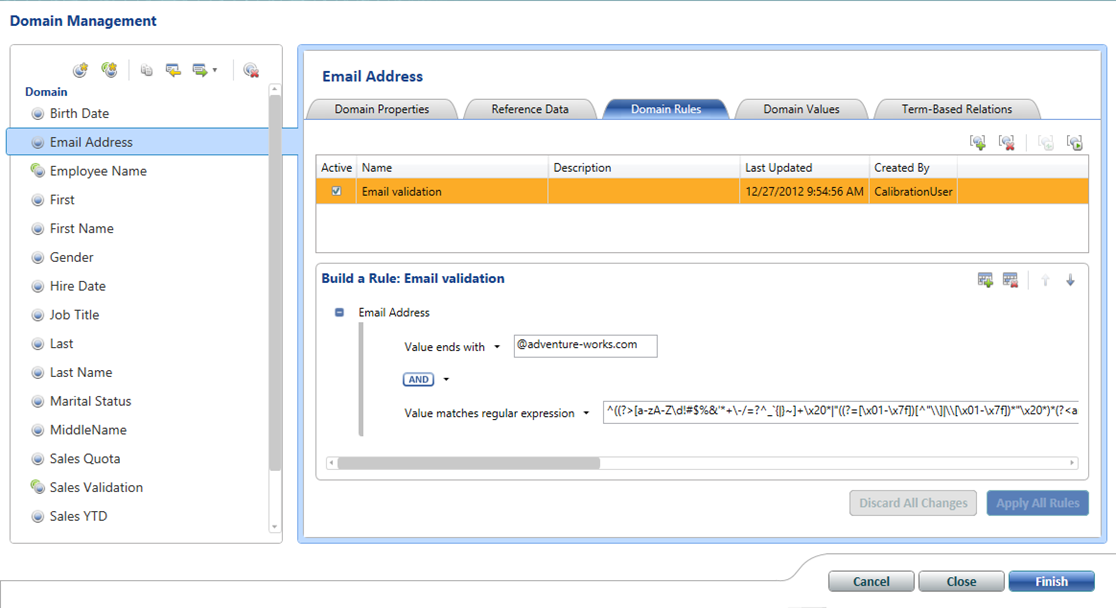
Developers spend plenty of time coding for exceptions. The customer SSN must be 9 characters. The organization code must be four characters and it must be constrained to specific values. The happy path is easy, coding for exceptions is tedious. Some exceptions are easy to catch, others might require more complicated logic than implementing the happy path. And, it gets more difficult if the rules change often or your BI system needs to support adding new rules. This is where Data Quality Services (DQS) can help. To me, the biggest strength of DQS is externalizing rules. Instead of hardcoding rules in SQL or ETL, you can externalize them and even offload rule management to business users. Using the Data Quality Client tool, a business user can define simple rules and corrections, such as that the e-mail address must match a specific regular expression. Then, the ETL developer can integrate the...
-
Solving Datazen MDX Query Limitations
July 12, 2015 / No Comments »
As I mentioned in a previous blog, Microsoft added Datazen to its arsenal of data visualization tools. Datazen, of course, comes with its own pros and cons. In this blog, you'll see how you can get around a Datazen limitation when connected to an SSAS data model. Scenario: You create a Datazen dashboard that sources data from an SSAS MD or Tabular model. As usual, you need a query that slices some measures by dimension attributes, such as the query below: select {[Measures].[Sales Amount],[Measures].[Order Quantity]} on 0, [Product].[Category].[Category].Members on 1 from [Adventure Works] While this query works fine in SSRS, when Datazen runs the query it silently drops the dimension attributes from the result. You might attempt to rewrite the query as follows: select [Product].[Category].[Category].Members * {[Measures].[Sales Amount],[Measures].[Order Quantity]} on 0 from [Adventure Works] But then you get: The query cannot be prepared. The query must have at least one...
-
Power BI Custom Visuals Announced
July 10, 2015 / No Comments »
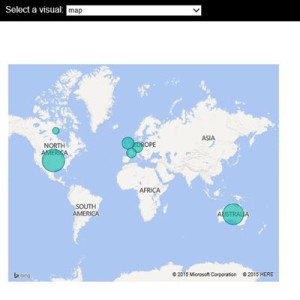
Today Microsoft announced the general availability of Power BI on July 24th meaning that Power BI goes live on that date. Among the many new features mentioned in the blog, the one that piqued my interest is custom visuals. Developers might recall that SSRS has provided custom report items since version 2005, which I wrote about in the October 2006 issue of the MSDN Magazine. Similarly, now you can implement custom visualizations in Power BI! And, instead of writing .NET code, you can do so using JavaScript. This opens the path to implement custom visuals using any of the JavaScript-based visualization frameworks, such as D3, WebGL, Canvas, or SVG. This will be huge as it will allow developers to extend the Power BI visualization capabilities using open-source visualization frameworks. Do you need some gadgets, like a bullet graph? With some coding wizardry, you can implement your own, such as by...
-
Azure Data Catalog Announced
July 10, 2015 / No Comments »
Microsoft just announced the public preview of Azure Data Catalog, previously known as "Project Tokyo". I had a chance to take an early review of Azure Data Catalog to help a big organization which was interested in simplifying discoverability and access to data across the enterprise. As I mentioned in my "QUO VADIS DATA WAREHOUSE?" newsletter, logical data warehousing (LDW) has gained some traction and backing from vendors, including Composite (acquired by Cisco), Denado, and others. "Logical data warehousing is at a very early stage of adoption. In my opinion, the companies that will benefit most of it are large organizations with many data repositories, where data availability is a major barrier for enabling self-service BI. If you believe that your organization might benefit from a Logical Data Warehouse, you might not need to make a major investment. If your organization has an Office 365 Power BI subscription, your first...
-
What’s New for BI in Office 2016?
July 9, 2015 / No Comments »
While you might be trying to convince management to upgrade to Office 2013, the next version of Microsoft Office (Office 2016) is on the horizon and scheduled to be released sometime in the Fall. Meanwhile, you can download and test the Public Preview. Naturally, you might wonder what's new for BI given that Excel is the Microsoft premium BI desktop tool. In my newsletter, I'm sharing my favorite Excel 2016 BI features (most significant listed first).
-
Disaster Recovering
July 9, 2015 / No Comments »
Over the last couple of weeks, I learned a thing or two about disaster recovery. My server crashed and it had to be replaced. While we were able to get Prologika.com up and running quickly, the community site was down for a while. I am happy to report that while there are some kinks remaining, for the most part the community site has been restored.
-
Cool Visualizations Coming To You This Summer
June 12, 2015 / No Comments »
I welcome every news about better visualizations in Microsoft BI so I rejoiced to read this blog by Ariel Netz, Group Program Manager in the Power BI Designer team. "The Power BI Designer team is working on our first update for the summer. That update will be significant, and will signal a new phase in our product development. To date we have mostly invested in the modeling and query capabilities, but starting with the first summer release users will see heavy investments in the Data Exploration & Reporting capabilities in the product. While it might be bit premature to go into detail, it's not premature to provide a teaser… " And the teaser screenshot in the blog shows more visualization gadgets with the ability to change chart series colors. I hope they thrown in conditional formatting as well. Confused which visualization tool to use? You probably are with so many...
-
Where Are My Storage Pool Disks?
June 6, 2015 / No Comments »
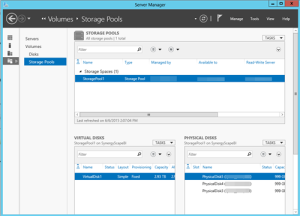
I've been doing quite a bit of SQL Server performance work lately, helping customers embrace the cloud. One great feature of Windows Server 2012 and above is the ability to implement a storage pool combining multiple disks. This greatly simplifies disk striping to distribute I/O and deprecates RAID configurations, as explained in more details in the "Performance Guidance for SQL Server in Windows Azure Virtual Machines" whitepaper from Microsoft. In this case, the client has an A7 Azure VM which allows attaching up to four 1TB data disks. Another great Azure feature is that you only pay for what you use. What it means to you is that you cut cost because you have all of this storage available but you are charged only for the actual storage and not for the capacity. In the process of configuring the storage pool, you might find that none or some of the...
-
What’s New for BI in SQL Server 2016 CTP2?
May 28, 2015 / No Comments »
The first public preview of SQL Server 2016 (CTP2) got announced yesterday. The natural question for BI pros is what's new for BI. The "What's New in …" topics in the SQL Server 2016 Books Online provides the detailed description of the BI features that made the CTP2 cut. To summarize the major features: SSAS Process partitions within a Tabular table in parallel. Previously, partitions within a table were processed sequentially. New DAX functions. The join-related ones, such as NATURALINNERJOIN, NATURALLEFTOUTERJOIN, UNION, will be useful. SSRS Subscription enhancements, such as Enable/disable subscriptions (New user interface options to quickly disable and enable subscriptions), change subscription owner, shared credential for file share subscriptions. Report Builder for SQL Server 2016 supports High DPI SSIS Incremental Package Deployment – ability to deploy individual packages to the SSIS catalog. AlwaysOn support – ability to host the SSIS catalog on a database configured for AlwaysOn for...
-
Power BI 2.0 User Provisioning
May 15, 2015 / No Comments »
As a continuation to my "Power BI vNext (let's now call it Power BI 2.0 to align terminology with Microsoft) SSAS Connector and Security" blog, you might wonder how Power BI provisions users. For example, if a user signs with his business e-mail and a coworker shares BI artifacts with him, what happens when the user leaves the company? Can he still gain access? As it turns out, when the user signs to Power BI, Microsoft adds the user transparently to the Azure AD (AAD). Syncing AD with AAD is not a requirement. This is why you don't need to extend your AD to Azure or synchronize it when you want Power BI reports to connect to on-prem Tabular models. If you do not sync your AD with Azure AD and remove user from AD, they continue to exist in Azure AD. If the tenant is a managed tenant (i.e....
Training
 We offer onsite and online Business Intelligence classes! Contact us about in-person training for groups of five or more students.
For more information or to register click here!
Books
 Learn Power BI at your own pace with our latest book Applied Microsoft Power BI. Targeting information workers, data analysts, pros, and developers, It is designed as an easy-to-follow guide for learning how to implement BI solutions spanning the entire personal-team-organizational BI spectrum.

