• Troubleshooting the SharePoint Add-in for Reporting Services

    November 19, 2008 / No Comments »

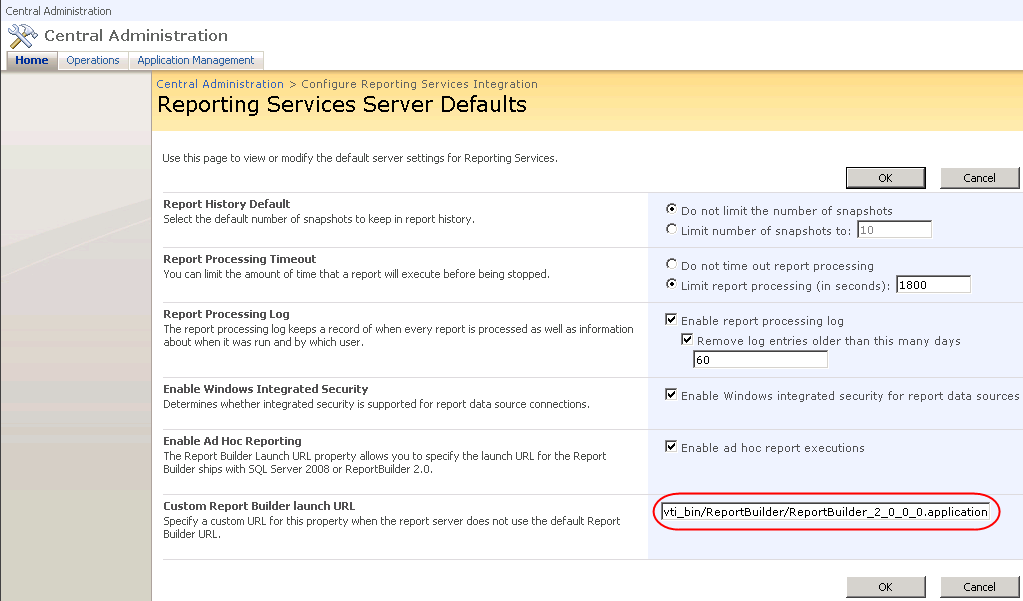
    A common issue when setting up Reporting Services integration with SharePoint is that the SharePoint add-in is not installed properly although the setup program doesn't indicate any issues. More than likely, the culprit is that the person who installed the add-in is not SharePoint Web farm administrator and Site Collection administrator. As a first stop for troubleshooting SharePoint integration issues, you should examine the add-in log after the add-in setup completes to verify if it was installed successfully. You'll find the log file (RS_SP_<N>.log) in your temp folder, such as \Documents and Settings\<login>\Local Settings\Temp. Specifically, check that all activation tasks have completed successfully and that there are no errors. If all is well, the log files should look as follows: User: <userid> Installing Report Server feature. Calling copyappbincontents command. copyappbincontents command completed successfully. Adding Report Server feature to farm. Installed Report Server feature. Activating Report Server feature to root level site...

  • Cumulative Update 2 for SQL Server 2008

    November 19, 2008 / No Comments »

    Microsoft has released the Cumulative Update 2 build (build number 1779) for SQL Server 2008. The update is not publicly available as of now. It has to be released individually based on whether you are running into a bug fixed in the build and it is password-protected. Among other things, it fixes the freeze issue associated with opening SSAS projects in BIDS.

  • Referencing Parameters in SSRS Calculated Members

    November 10, 2008 / No Comments »

    Issue: You author an SSRS report that connects to a cube. You want to create a calculated member that uses a report parameter. For example, the Selector calculated member in the following query returns 1 if a given employee has exceeded 1 million in sales for the dates specified by the user in the report parameter. WITH MEMBER [Measures].[Selector] AS SUM ( StrToSet(@DateCalendar), iif([Measures].[Reseller Sales Amount]>1000000, 1, NULL) ) select non empty {[Measures].[Reseller Sales Amount],[Measures].[Reseller Order Quantity], selector} on 0, non empty (Filter([Employee].[Employee].[Employee].Members, [Measures].[Selector]>0) * [Date].[Calendar].[Calendar Year]) on 1 from (select StrToSet(@DateCalendar) on 0 from [Adventure Works])   However, when you run the query you get the following error if you target Analysis Services 2005: The DateCalendar parameter cannot be resolved because it was referenced in an inner subexpression. Obviously, the built-in SSAS data provider has an issue parsing parameters in a calculated member. This issue is apparently fixed in...

  • Dundas Chart Controls for .NET Available

    October 27, 2008 / No Comments »

    On Friday, Microsoft released chart controls for Microsoft .NET Framework 3.5. These are re-tooled Dundas .NET chart controls which are now baked in the .NET framework. This is important because you can add the same stunning Dundas chart features to your Windows Forms and ASP.NET applications without external dependencies or licensing fees. It also minimizes your learning curve, as the Dundas controls share the same object model across technologies, e.g. Windows Forms to ASP.NET to Reporting Services. Currently, only the Dundas chart control has made the cut to .NET. There is a sticky post at the top of the forums that has all of the links. Keep an eye on the PDC announcements today for more BI goodies.

  • SSAS WHERE vs. Subselect Puzzle

    October 23, 2008 / No Comments »

    I've been involved recently in a quest to optimize an SSAS 2008 long-running query that would return the 12-month history of a KPI. Since the KPI was displayed on a dashboard page alongside other KPIs and charts, it was important to optimize the query as much possible. Rephrased to Adventure Works, the query went something like this: WITH MEMBER increaser AS Iif([Measures].[Internet Sales Amount]>([Measures].[Internet Sales Amount], [Date].[Calendar].PrevMember),1,NULL) MEMBER CustomersWithIncrease as Sum([Customer].[Customer].[Customer], [Measures].[increaser]) SELECT [Measures].[CustomersWithIncrease] on 0, ParallelPeriod ([Date].[Calendar].[Month], 11, [Date].[Calendar].[Month].&[2003]&[12]) :[Date].[Calendar].[Month].&[2003]&[12] on 1 from (select -{[Customer].[Customer].&[20075]} on 0 from [Adventure Works]) where {[Sales Territory].[Sales Territory Country].&[United States], [Sales Territory].[Sales Territory Country].&[United Kingdom]} This query compares the sales for each customer with the customer's sales for the previous month and returns the number of customers who have increased sales for the past 12 months. Also, the query uses a subselect to exclude a customer and a WHERE clause that restricts the...

  • Report Builder 2.0 RTM’ed

    October 18, 2008 / No Comments »

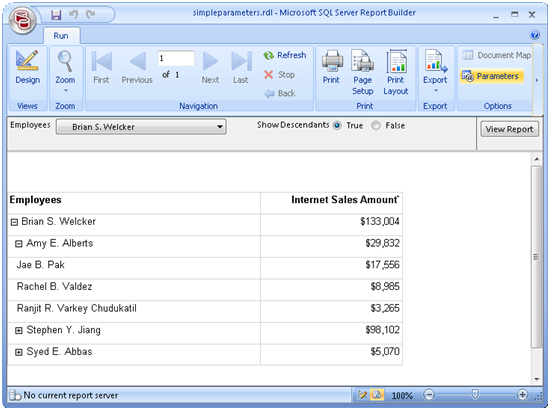
    Today, Microsoft released Report Builder 2.0 (build 10.00.1600.60) , as Robert Bruckner announced in his blog. This is a major milestone in the Reporting Services roadmap. In my opinion, Report Builder 2.0 is one of the most important and exciting features of Reporting Services 2008 as it bridges the gap between standard and end-user (ad hoc) reporting. You should definitely consider Report Builder and Analysis Services for your ad-hoc reporting projects.

  • People Ready BI

    October 8, 2008 / No Comments »

    At the BI Conference in Seattle, Microsoft announced the future roadmap for next BI-oriented SQL Server release, nee Kilimanjaro, that will focus on three major teams: • Self Service Analytics • Self Service Reporting • Sharing, Collaboration & Management The Self Service Analytics will encompass projects Madison (a share-nothing MPP scale-out version of SQL Server, powered by DATAllegro technology) and Gemini, which I mentioned before. The Self Service Reporting is where Reporting Services.NEXT will come in, of course. Microsoft announced the acquisition of 90 Degree Software. In case you are not familiar with this company, 90 Degree Software has built a very comprehensive report designer that is very similar to Report Builder 2.0. What I expect from this acquisition is more end-user enhancement in Report Builder 2.0 and improved Analysis Services integration. Expect also a shared report library that lets the end user save and share report elements and templates...

  • Memory-based Dimensional Model (MDM) on the Horizon

    October 7, 2008 / No Comments »

    As the news arrived today (see Mosha Pasumansky blog, Chris Webb blog, and Marco Russo blog) , the BI Conference revealed what has been brewing for a while in the Microsoft BI nest. Project Gemini, which one may call Memory-based Dimensional Model (MDM) to draw a comparison with the Unified Dimension Model (UDM), will let business users create ad-hoc cubes that are stored in memory. This will let Microsoft compete with other BI players, such as the Cognos TM1 offering which Cognos acquired from Applix. Accidentally, I dare to predict that MDM will be very similar to TM 1 (watch a demo here) but of course better J. While I need to get my hands on this Gemini thing to say something worthwhile, I really hope that existing UDM cubes could benefit from it as well, especially in terms of performance. Today, folks are pushing SSAS to its limits. A...

  • Cumulative Update Package 1 for SQL Server 2008

    September 23, 2008 / No Comments »

    Microsoft has released the first for SQL Server 2008 cumulative update package. Among other issues, it fixes the SSAS bug with requesting measures with mixed aggregation functions which I previously reported.

  • Sorting Dates in a PivotTable Report

    September 11, 2008 / No Comments »

    Issue: You use Excel as an OLAP browser connected to an SSAS cube. You've defined the name of the Month attribute in the Date hierarchy in the format MMM-YYYY. While months are sorted in an ascending order in Excel, descending sorting doesn't work; or rather Excel sorts them as strings. That's because Excel interprets these captions as strings instead of dates even if you set the Value property of the Month attribute to a field of DateTime type. Workaround: You can use the Excel custom sorting feature as a workaround while waiting for Excel to become a better OLAP citizen: Connect to the cube and select the Month attribute to get all months displayed in Excel. Select all month cells. Click the Excel Office Ribbon button. In the Popular tab, click the Edit Custom Lists button.   In the Custom Lists dialog box that follows, click Import button to create...

Training

We offer onsite and online Business Intelligence classes! Contact us about in-person training for groups of five or more students.
For more information or to register click here!

Books

Learn Power BI at your own pace with our latest book Applied Microsoft Power BI. Targeting information workers, data analysts, pros, and developers, It is designed as an easy-to-follow guide for learning how to implement BI solutions spanning the entire personal-team-organizational BI spectrum.

Syndication