• Seeking Oracle

    October 3, 2013 / 2 Comments »

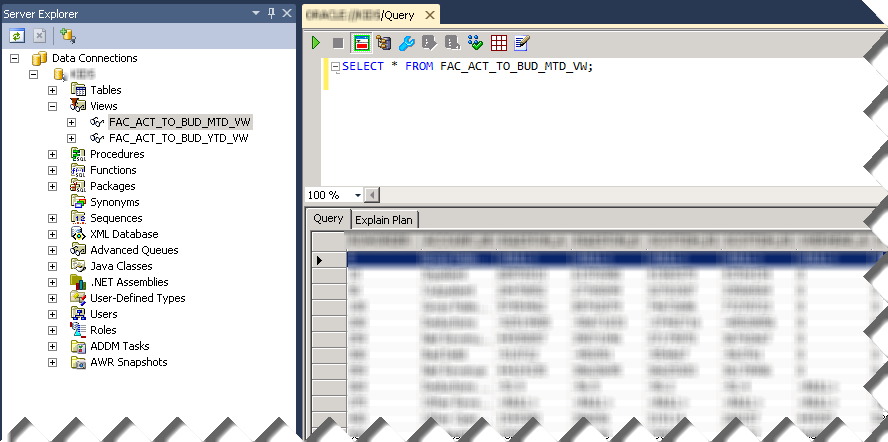
    Getting two mega vendors to work together - always fun. On a positive note, the experience further reinforced my love for SQL Server. Scenario: Installing Oracle 11g 64-bit and 32-bit clients on Windows Server R2 64-bit machine for both development and testing. As you would recall, BIDS (aka SSDS in SQL Server 2012) is a 32-bit application. So, is PowerPivot if it runs in 32 bit Excel. On the other hand, the server products, such as SSRS and SSAS, are x64. So, the changes are that you'll need both the 32-bit and 64-bit OLE DB Oracle providers since Microsoft discontinued its Oracle OLE DB provider support. Issue 1: It looks like this deployment scenario wasn't on the Oracle support radar and probably was never tested. First of all, based on previous experience, you need to install both the 64 bit and 32 bit full Oracle clients with the Administrator option....

  • MVP for a Decade

    October 1, 2013 / No Comments »

    Microsoft awarded me again with the Most Valuable Professional (MVP) Award for SQL Server. This makes it 10 consecutive years as MVP! Where did all this time go? Anyway, I feel honored to be a member of this elite group of dedicated professionals.

  • Atlanta BI Group Meeting Tonight

    September 30, 2013 / No Comments »

    The Atlanta BI Group is meeting tonight. Main Presentation: Dimensional Modeling 101   Level: Beginner Date: Monday, September 30th, 2013 Time 6:30 – 8:30 PM ET Place: South Terraces Building (Auditorium Room) 115 Perimeter Center Place Atlanta, GA 30346 Overview: So many names! Data warehouse, data mart, star-schema, snowflake schema, dimensional model, Type 1, Type 2, Type 3... What does it all mean? Whether you're a data consumer, ETL specialist, or database designer, it pays to understand the vocabulary and design concepts of dimensional models. In this session, we'll cover the basics of dimensional modeling, including dimensions, facts, and the ways they all come together. We'll talk about why denormalization isn't necessarily a dirty word, some common design challenges, and a few ETL considerations. By the end of the hour, you'll be ready to impress your friends and confound your frenemies with your mad dimensional modeling knowledge!   Speaker: Audrey...

  • IE 11 Issue with Reporting Services

    September 23, 2013 / No Comments »

    I've upgraded to Windows 8.1 and got IE 11. As I've come to expect, a new browser upgrade brings a new set of issues, among which buttons disabled when they shouldn't be and page posts not working. What about reports? This is what I get when I use Report Manager. The report toolbar is all messed up. How to fix this horrible issue? Use the compatibility view of course: Open Internet Explorer, press the Alt key, click Tools on the menu bar, and then click Compatibility View settings. Add the report site, such as localhost, to the list of websites.

  • Flavors of Self-service BI

    September 21, 2013 / No Comments »

    My Fall newsletter entitled "Why a Semantic Layer?" is out and it will be e-mailed to subscribers on Monday. The reason why I wrote is to bring the focus back on organizational BI. Based on my experience, decision are makers are confused about what their company's BI strategy and roadmap should be. I've asked a BI manager recently if he knows that a semantic layer could be a true self-service BI enabler and he said he didn't know. After talking to some well-known BI vendors and listening to their "pure" self-service mantra, the focus was shifted from a comprehensive BI architecture that truly addresses the company needs to selecting a tool that has the most visualization fluff. In general, there are two self-service BI paths your organization can take: Semantic layer + ad hoc reporting – If your organization decides to invest in implementing a comprehensive organizational BI framework (see...

  • Announcing Prologika Validator

    September 15, 2013 / 2 Comments »

    Data is your biggest asset and today's currency but the data can be messy. You know it and we've seen it – many times. The messier the data, the bigger the headache. At Prologika, we believe that data quality issues should be addressed as early as possible and the validation process should start with the source systems. You need a solution to detect data entry issues without ETL, custom validation code, and exhaustively hard-coded rules. This is why I'm excited to announce today the availability of Prologika Validator! Available as a cloud service and on-premises offering, Prologika Validator uses predictive analytics to find data anomalies in order to help you improve data quality. It analyzes historical data and discovers common data patterns and relationships. When the user attempts to save a data entry that is outside the norm, Prologika Validator can detect the outlier. Then, the source system can notify...

  • Integrating Power View with PerformancePoint

    September 15, 2013 / No Comments »

    With the rising popularity of Power View, you may need to integrate it with PerformancePoint to jazz up your dashboards and make them more interactive. Take a look at the following, admittedly unpolished, dashboard which combines a PerformancePoint scorecard and Power View report. What's interesting is that the Power View report is synchronized with the dashboard filter. For example, when the user changes the filter to 2009, the Power View report filters on the same year. Starting with SQL Server 2012 SP1 CU4, Power View supports passing URL parameters using the syntax rf=[Table].[Field] eq Value. In this case I use the following Power View URL: http://<site>/_layouts/15/ReportServer/AdHocReportDesigner.aspx?RelativeReportUrl=/PowerPivot Gallery/Adventure Works Dashboard.rdlx&ViewMode=Presentation&PreviewMode=True&PreviewBar=False&[Date].[Calendar Year] eq 2009 As you would quickly discover, the Power View customization is rather basic. The only operator supported for now is the equal operator (eq) and multi-valued parameters are not supported. The PerformancePoint integration is achieved by using the Web...

  • Power BI (Part 2 – The Data Management Gateway)

    September 10, 2013 / No Comments »

    In my previous blog on the Power BI subject, I've introduced you to Power BI. In this blog, we'll take a look at the Data Management Gateway and how to set up data sources to refresh on-premise data. I'll be quick to point out that the actual data refresh is not in the preview yet. The Data Management Gateway is implemented as a Windows service which you can download and install on premises. It has two main features: Enable cloud access for on-premises data sources within your organization Expose data from on-premises data sources as OData feeds that can be consumed by using Power Query. You configure the gateway and data sources from the Admin->Power BI section of the Office 365 portal. This starts a simple wizard that walks you through the steps to install, configure, and test the data management gateway. You can set up multiple gateways if needed,...

  • Web API CORS Adventures

    September 10, 2013 / No Comments »

    I've been doing some work with ASP.NET Web API and I'm setting a demo service in the cloud (more on this in a future post). The service could be potentially accessed by any user. For demo purposes, I wanted to show how jQuery script in a web page can invoke the service. Of course, this requires a cross-domain Javascript call. If you have experience with web services programming, you might recall that a few years ago this scenario was notoriously difficult to implement because the browsers would just drop the call. However, with the recent interest in cloud deployments, things are getting much easier although traps await you. I settled on ASP.NET Web API because of its invocation simplicity and gaining popularity. If you are new to Web API, check the Your First Web API tutorial. To execute safely, Javascript cross-domain calls need to adhere to the Cross-origin resource sharing...

  • Power BI (Part 1 – Getting Started)

    August 31, 2013 / No Comments »

    Microsoft BI has been criticized about its complexity and price because it requires SharePoint Server Enterprise for deploying Power Pivot models and dashboards. Microsoft introduced Office 365 (E3 or E4 plan required) and SharePoint Online (Plan 2 required) to mitigate such concerns and allow you to host Power Pivot and Power View in the cloud. Power BI is the next step in the Microsoft BI cloud strategy. As I explained in a previous blog and in the SQL Server Team blog, Power BI is essentially a cloud combo of all the self-service "power" tools (Power Pivot, Power View, Power Query, and Power Map) available on a subscription basis and running on Microsoft Azure, precluding SharePoint on-premises installation and licensing. Microsoft has started inviting participants subscribed to the Power BI for Office 365 Preview to test the prerelease version of Power BI. During the Worldwide Partner Conference, Amir Netz, a Technical Fellow at Microsoft,...

Training

We offer onsite and online Business Intelligence classes! Contact us about in-person training for groups of five or more students.
For more information or to register click here!

Books

Learn Power BI at your own pace with our latest book Applied Microsoft Power BI. Targeting information workers, data analysts, pros, and developers, It is designed as an easy-to-follow guide for learning how to implement BI solutions spanning the entire personal-team-organizational BI spectrum.

Syndication